
Available on the App Store

IFC ViewerOpen the model. Understand the project.

Your IFC models, information and specialist tools.
One focused workspace. From desk to site.

Native Apple app for iPhone, iPad and Mac.

iPhone · iPad · Mac IFC2x3 + IFC4 Local model review
EXPLORE IFC VIEWER
14specialist
Pro Tools
3Apple
platforms
IFCgeometry
and information
Localmodel review
on your device
Built around open information workflows
IFC2x3IFC4IDSBCFCOBie
Inside IFC Viewer

Start in one workspace.
Go deeper when you need to.

IFC files carry open BIM geometry and information. IFC Viewer brings everyday model review, checks and specialist workflows into one consistent Apple app experience.

01 / WORKSPACEOverview + control

See the project state.
Take the next step.

Start in a clean workspace with project health, recent activity, models and quick routes into the tools that matter.
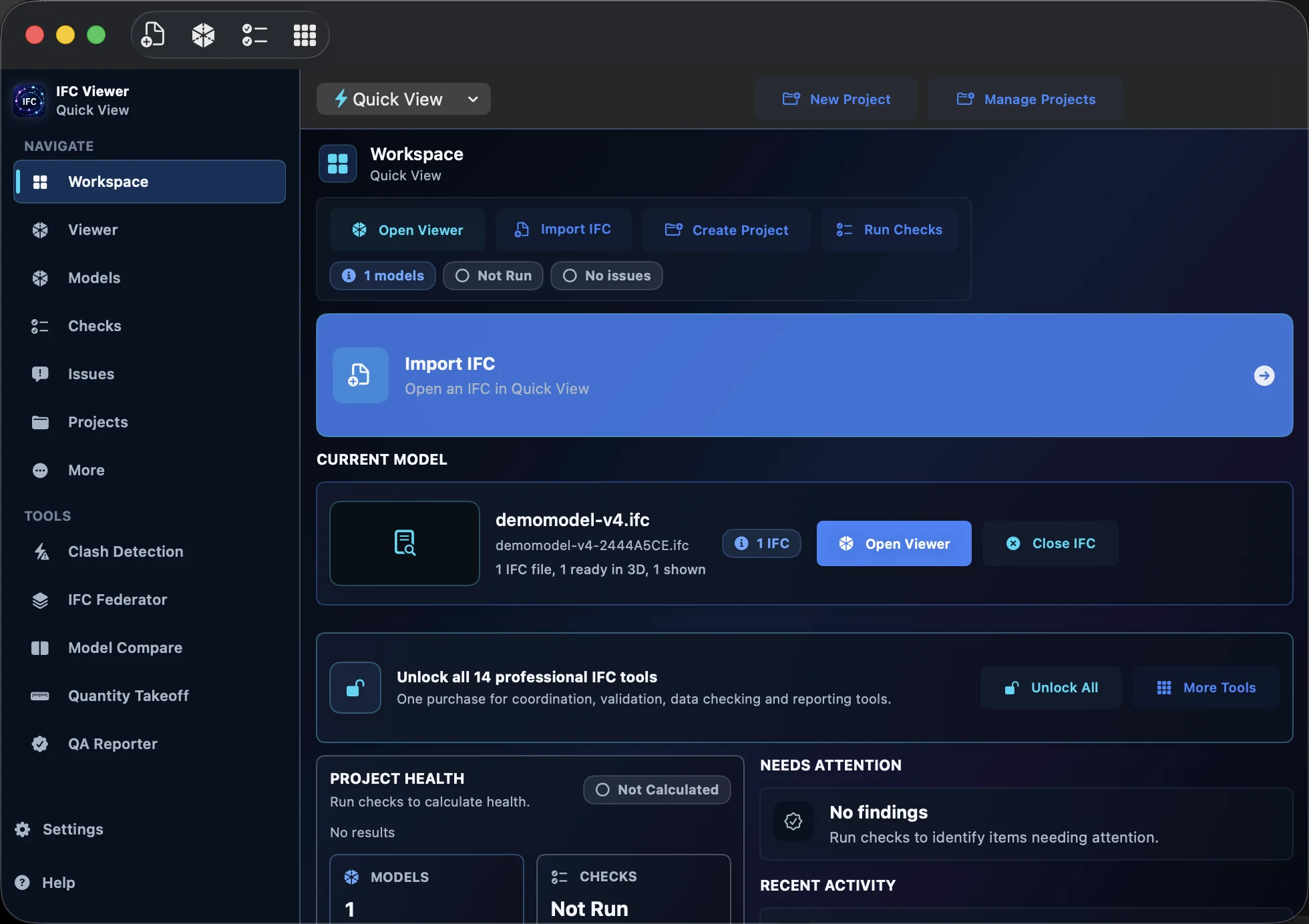
IFC Viewer macOS workspace screen

Workspace view · Mac

02 / PROJECT WORKSPACE

Quick look or longer review.
Your choice.

Use Quick View for an immediate check. Use projects to organise models and revisions when the work needs continuity.

Project→Models→Revisions
03 / PRO TOOLS

From a review
to a useful next step.

Open specialist workflows for issues, validation, comparison, quantities and more without leaving IFC Viewer.

Find the right Pro Tool
Built for the people reviewing the model.
BIM coordinatorsDesign teamsContractorsAsset teams
The professional toolkit

One viewer.
Fourteen ways further.

Coordinate geometry. Check information. Understand quantities. Choose the specialist tools your work needs, without leaving IFC Viewer.

14 Pro Tools. Select a card to explore its workflow.

Your tools, your choice. Pro Tools are optional in-app purchases. Choose individual tools or Unlock All for all 14 current tools.

How access works
Local-first by design

Your model.
Your device.

Opening and inspecting your IFC should not mean handing the project to a website. Local model review keeps that work on your device.

  • No upload to this websiteThis marketing site does not accept or process model files.
  • AI explains. Checks decide.Optional on-device assistance supports interpretation. The deterministic tool results remain authoritative.
  • Clear online boundariesLive dictionary lookups send the selected term or reference, not the IFC project model.
On the devices you use

At your desk.
In the meeting. On site.

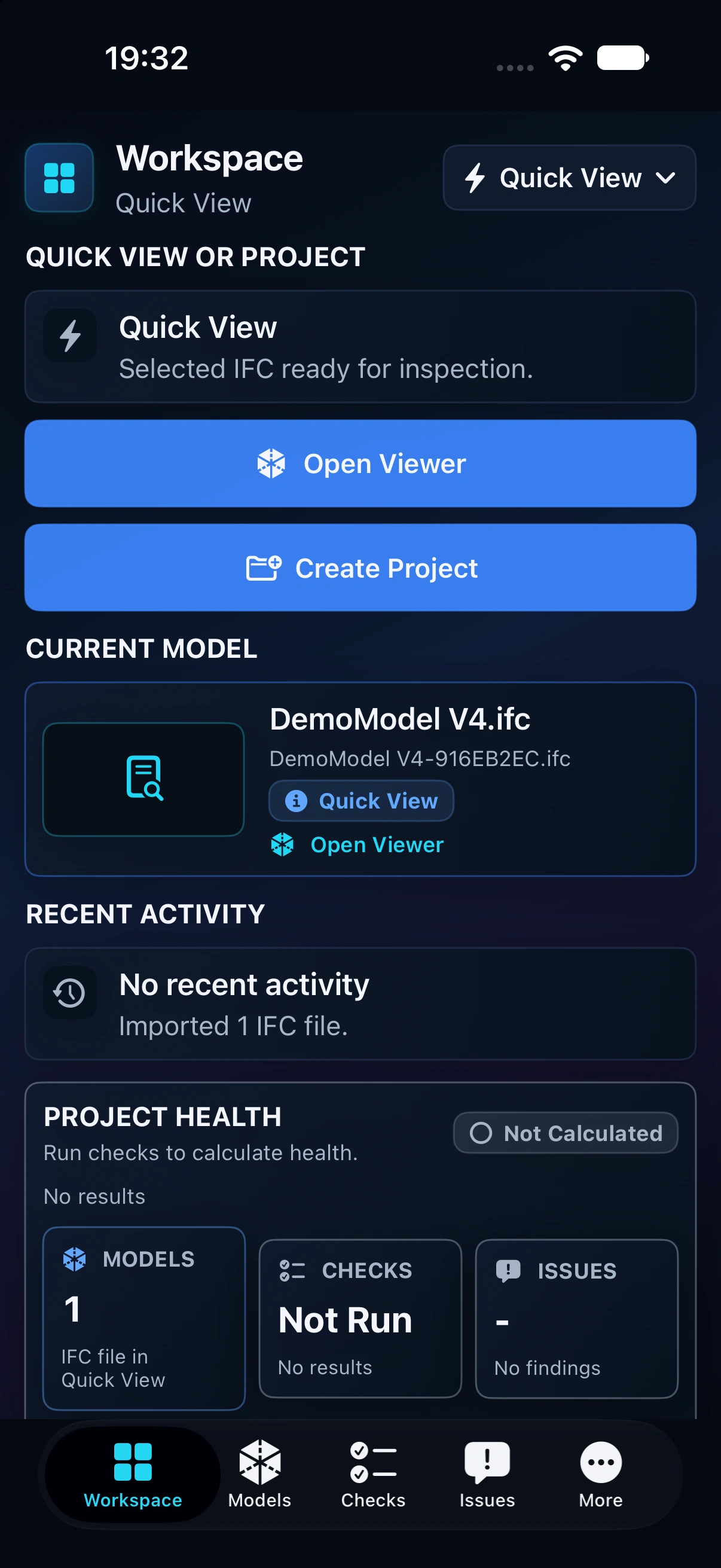
A native Apple application across iPhone, iPad and Mac. Choose the screen that suits the review—not a different set of working habits.

01 / DESKTOP

Mac

Room for the model, the details and your specialist tools. Make space for the more involved review.

Native macOS application
02 / TABLET

iPad

Put the model on the table. A larger touch screen for model discussions and on-site inspection.

Touch-first model review
03 / MOBILE

iPhone

Keep a practical IFC viewer close to hand when you need to check a model away from your desk.

Portable access to your IFC files

See the current App Store listing for device and operating-system requirements. AI availability varies.

A clear way to get started

Start with the viewer.
Add what you need.

Choose the viewer and tools that fit your workflow. See the app for current prices and purchase terms.

THE STARTING POINT

IFC Viewer

The native Apple application for opening and inspecting IFC model geometry and information.

Available on the App Store
Download on App Store ↗
A FOCUSED WORKFLOW

Individual Pro Tools

Add the specialist workflows you actually use, from model comparison to information validation.

Optional individual in-app purchases
Explore the tools ↑

Current prices, platform requirements and purchase terms are shown in the App Store and in the app.

What’s next

Built for today.
Still moving forward.

The Apple app is the product focus. We continue to improve model review, professional workflows and the experience across Apple devices.

01 / AVAILABLE NOW

Apple app

IFC Viewer for iPhone, iPad and Mac, bringing workspace, model review and fourteen specialist tools together.

AVAILABLE NOW
02 / CONTINUOUS IMPROVEMENT

Sharper review

Ongoing refinement of performance, model understanding and the details that make everyday review easier.

IN DEVELOPMENT
03 / PROFESSIONAL WORKFLOWS

Tools that go further

Continued development of the Pro Tools that turn model information into practical project evidence.

EVOLVING
04 / FUTURE EXPLORATION

More ways to work

We continue to explore additional ways to use IFC Viewer, without promising a platform or launch date before it is ready.

EXPLORING

Future scope and timing may change. The App Store listing remains the authority for what is available now.

Good questions

Before you
open the model.

What is available, how the tools work, and where the platform is going.

Help and support
How do I get IFC Viewer?

Use the App Store button on this site to open the current IFC Viewer listing for iPhone, iPad and Mac.

What is included in the app, and what is a Pro Tool?

IFC Viewer provides the core model-viewing experience. The 14 specialist Pro Tools are optional in-app purchases. You can choose individual tools or use Unlock All for all 14 current Pro Tools. See the app for current prices and purchase terms.

Is IFC Viewer a cloud service?

No. This website is a marketing site. It does not accept IFC uploads, and IFC Viewer focuses on local model review on your device.

Where can I use IFC Viewer?

IFC Viewer is available as a native Apple app for iPhone, iPad and Mac. Check the App Store listing for current device and operating-system requirements.

Can I buy one tool at a time?

Yes. Pro Tools are optional in-app purchases. Choose only the tools you need, or Unlock All to access the full current toolkit.

What is next for IFC Viewer?

We continue to refine the Apple app and explore additional ways to use IFC Viewer. Future availability will be announced only when it is ready.

Support, without the runaround

Good tools.
Real support.

Find a quick answer, report a problem or share an idea. We’re here to help you get back to your model.

Visit the support centre ↗ifcviewerapp@gmail.comFAQs · Issue reports · Feature requests
IFC Viewer

Bring the model.
Find your next step.

Get IFC Viewer from the App Store and explore the full toolkit.

iPhone · iPad · Mac   /   Optional Pro Tools sold in-app

    An optional Pro Tool inside the Apple app. Available through its individual in-app purchase or Unlock All. This page describes the tool; it does not run IFC checks in your browser.

    Press Escape to close.

    IFC Viewer / Support

    Less friction.
    Back to the model.

    Find an answer, report a problem or suggest what should come next. Direct help from the people building IFC Viewer.

    Your direct lineifcviewerapp@gmail.com

    No account needed. No project-file upload.
    Keep confidential information out of your report.

    Start here

    A little help goes a long way.

    How do I open an IFC model?

    Use Import IFC in Workspace and choose your file. Use Quick View for a one-off review, or work in a project when you want to organise models and revisions. If your file is in cloud storage, make sure it has finished downloading to the device.

    Which devices is IFC Viewer for?

    IFC Viewer is an Apple app for iPhone, iPad and Mac. Check the App Store listing for the current device and operating-system requirements.

    My model is taking a long time to open. What should I report?

    Tell us the app version, device, operating system, approximate IFC file size and the exact loading message. Note whether the same issue happens with the demonstration model. Model complexity varies; file size alone does not describe it. Do not attach confidential IFC files.

    The viewer looks blank. What should I try?

    Check that a model has finished loading and is shown, then use Fit. If it is still blank, tell us whether you loaded one model or several and what happened immediately before the blank view. Please keep your original files and do not delete your projects as a troubleshooting step.

    Why does selection look different with several models?

    Record which model is shown and which element you selected. Try Clear Selection and select again. Report the model name only if it is safe to share, and say whether any other models were hidden or isolated.

    What is included, and what are Pro Tools?

    The app provides the core IFC viewing experience. Fourteen specialist Pro Tools are optional in-app purchases. Choose individual tools or Unlock All for all fourteen current tools. Prices and purchase terms are shown in the app and App Store.

    I bought a tool but it looks locked. What should I do?

    Use Restore Purchases in the app while signed in with the Apple Account used for the purchase. If access is not restored, contact us with the tool name, app version and exact message. Do not buy the same tool again just to troubleshoot, and never send your Apple password or payment details.

    What does Purchase Unavailable mean?

    It means the app cannot currently offer that purchase. It does not by itself prove a previous purchase was lost. Check your connection and report the exact message and affected tool if it persists. We will investigate access without asking for your password.

    Should I send you my IFC file?

    No. Start with a description, your device details and the steps to reproduce the issue. Prefer the demonstration model for reproduction. There is no IFC-file upload on this website. Only share a redacted screenshot by email if it is safe and relevant.

    Why is AI assistance unavailable on my device?

    Optional on-device AI depends on compatible hardware, operating-system support and model availability. The app’s deterministic checking and viewing workflows remain separate from AI assistance. Include the AI availability message in your report.

    Can I suggest a feature?

    Yes. Choose Feature request in the report form and tell us the task you are trying to complete, your current workaround and how the change would help. Feedback is welcome, but submitting a request does not promise a delivery date.

    How do I follow up on a report?

    For a report submitted through the live form, keep the reference shown after it is logged. Reply to our email with that reference in the subject. A locally prepared email report is not a logged ticket until it has been sent and received.

    12 answers

    Report preparation is available. Nothing is sent until you choose a sending option.
    * Required fields